In January 2003 after many months of engineering and development, Microsoft released one of the first business solutions built-in house; Microsoft Business Solutions Customer Relationship Management (CRM). This of course evolved into Dynamics CRM, of which much of the technical foundation became Dataverse, the bedrock of the Power Platform. I just rebuilt Dynamics CRM in… Continue reading I recreated Dynamics CRM with the Power Platform Plan designer
Tag: Dataverse

AI Builder: Update Dataverse currency exchange rates
One of the Microsoft Dataverse features that doesn’t get a lot of attention is currency fields. Too lazy to read? Check out the video version: I have blogged about currency codes in Dataverse (then known as CDS) in the past (in 2020) and for the most part, the underlying technology hasn’t changed. To quickly recap;… Continue reading AI Builder: Update Dataverse currency exchange rates

Power Pages Actions in Visual Studio Code
Two years ago I posted about the features within Visual Studio Code to create assets in Power Pages. Since that time the team at Microsoft has added more features to allow developers to be more productive when extending Power Pages websites using HTML, JavaScript, Liquid, CSS, etc. To be effective using Visual Studio Code, this… Continue reading Power Pages Actions in Visual Studio Code
Power Pages: Configure Entra External ID
When building a Power Pages website where you will have external stakeholders signing in, it is highly recommended to use an external authentication provider and not the out-of-the-box forms based login and password. There are different external providers available, provided by Microsoft (Azure AD B2C) and other 3rd party providers (like OKTA). Currently in preview,… Continue reading Power Pages: Configure Entra External ID

Power Pages: Cache test dummies
What is Power Pages caching? Sooner or later, while you are configuring a new Power Pages website, you are going to run into the concept of caching. What is it, why does it matter? And why does Nick Hayduk post memes about it? Caching in web applications refers to storing frequently accessed data (such as… Continue reading Power Pages: Cache test dummies
Power Pages – solution management tips, tricks, and gotchas
One of the main driving features of using the enhanced data model for Power Pages is the ability to add a website to a Power Platform solution and transport to other environments. This makes building and configuring Power Pages and ALM management much more aligned to the rest of the Power Platform. Solutions: For those… Continue reading Power Pages – solution management tips, tricks, and gotchas

Extending Dynamics 365 Business Central to Power Pages
In early November I had the opportunity to present a session Using Power Pages as a gateway to Business Central at the Directions EMEA 2024 conference in Vienna, Austria. I was pleasantly surprised to see the session was very well attended and there was a lot of interest from Dynamics 365 Business Central professionals and… Continue reading Extending Dynamics 365 Business Central to Power Pages
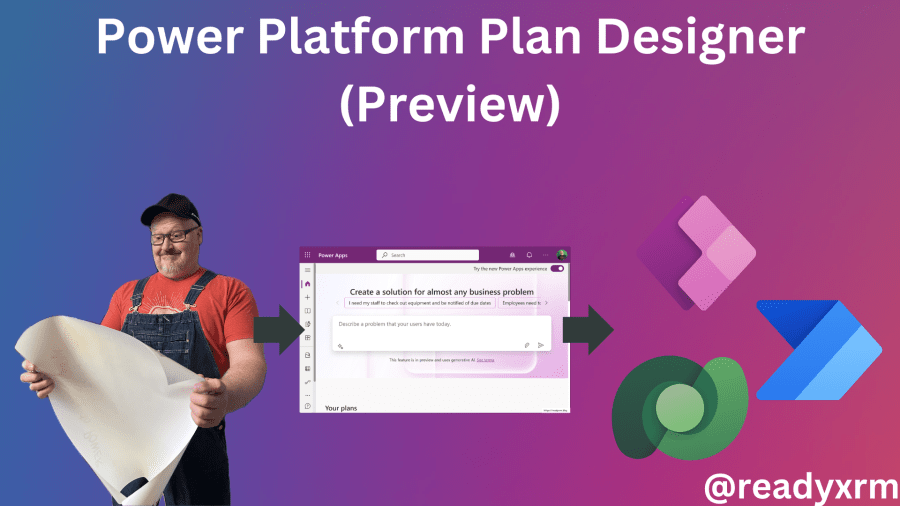
Power Platform Plan Designer (Preview)
Currently rolling out to preview environments is the new Power Platform Plan Designer, a tool that will allow you to use generative AI to describe, plan, and build your business solution using Power Platform technologies. Read the announcement from Microsoft: Build user-focused intelligent solutions in Power Apps, start with a plan. Here is the video… Continue reading Power Platform Plan Designer (Preview)
Power Pages: Set up OKTA as an identity provider
If you have configured a Power Pages website, chances are that you will require external users to sign in to be able to access certain information. Things like their own support cases, invoices, etc. Along with page permissions, table permission, web roles, you also will need to decide and configure and identity provider to be… Continue reading Power Pages: Set up OKTA as an identity provider

Power Pages: convert standard to enhanced data model
The enhanced data model has now been GA for a while and I know for all my new projects, we are using by default the enhanced data model. However, there are many “legacy” portals still using the standard data. Microsoft has recently (finally) released a tool to migrate the website metadata from a standard to… Continue reading Power Pages: convert standard to enhanced data model