I rebuilt a Power Apps canvas app in Microsoft Copilot Code in under an hour, on the same Dataverse tables, without touching the back end.
Here is the video walkthrough. This post covers the same ground, plus a few notes I didn’t have time to say on camera.
The app I started with
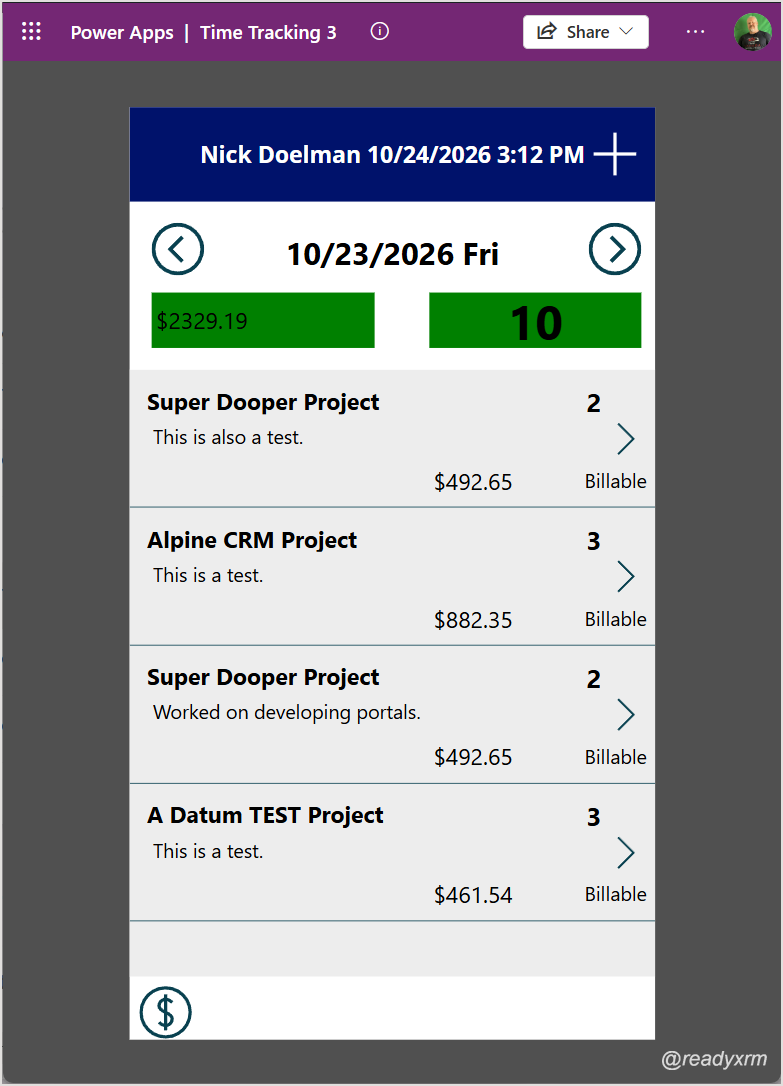
A lot of years ago, I built a canvas app to track my time as I work on projects for my customers.
It does one job. I open it, it lands on today, and I can page back or forward a day. I pick a project, pick a backlog item, enter the hours and an invoice description, and choose a charge type (billable, non-billable, no charge and a few others). The app totals my billable amount and hours for the day, and those tiles turn green when I hit my targets. There is also an income summary screen.
The back end is Dataverse. I manage projects in a model-driven app, but this canvas app is my day-to-day tool, and I can run it on my phone when I need to key in time on the go. (Note all billable amounts are demo/sample data)
We are now heading into 2026 and the front-end options have changed a lot since I built it… I had already rebuilt it once as a Power Apps code app. Then Microsoft released the ability to create apps in Copilot Code, so of course I had to try it.
What is Copilot Code?
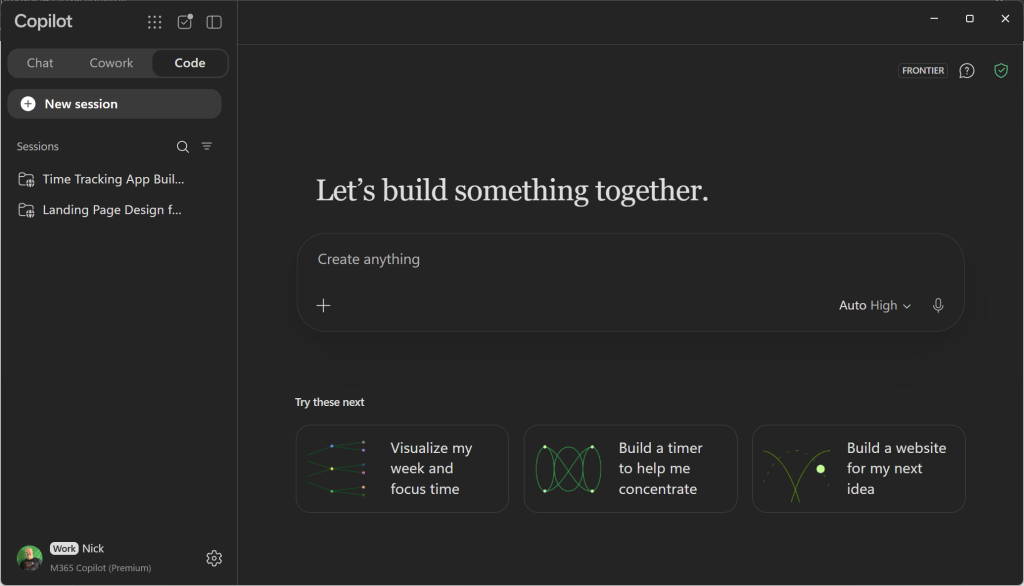
In the Microsoft Copilot desktop app you have Chat and Cowork, and now a third tab called Code.
From my perspective, this is the next iteration of the vibe.powerapps (RIP) idea, but the apps it builds run on the Copilot Managed Runtime (CMR). That sits outside the regular Power Apps player. The question I wanted answered: how good is it at rebuilding a real app I already use every day?
If you have avoided pro-code front ends because they feel like a developer thing, this is a good place to start. You describe the app, it writes the code.
What I fed it
The goal was a modern front end on my existing Dataverse tables. No schema changes, no new tables.
Since I had already done the code app rebuild, I had some leftovers to reuse:
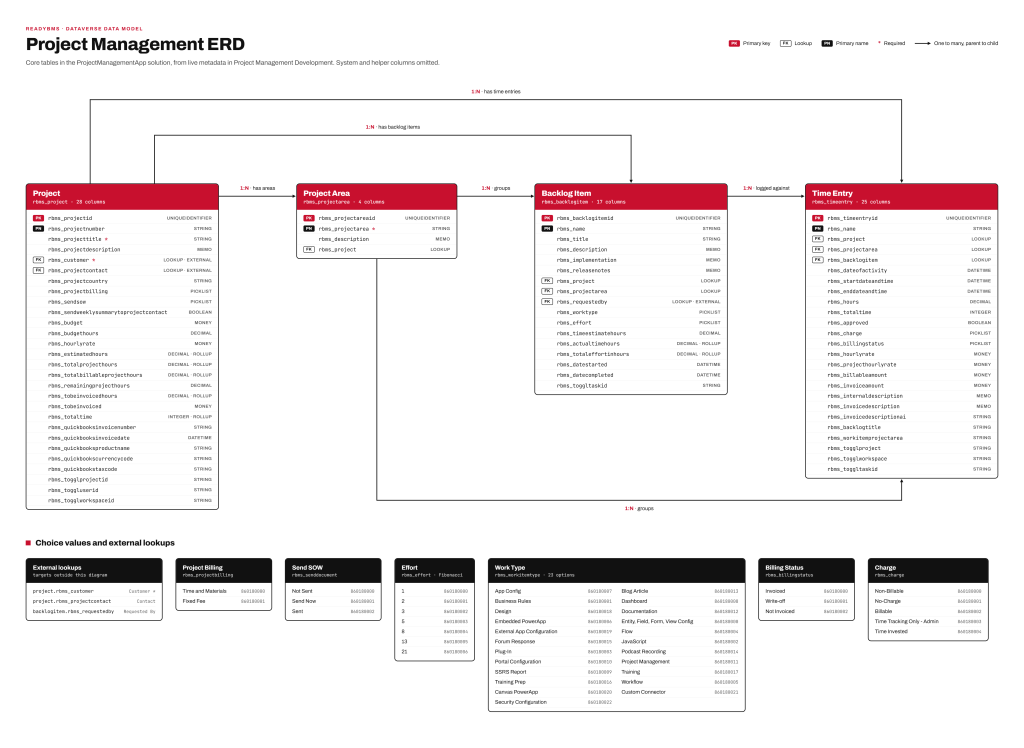
ProjectERD.md, a markdown file with an entity relationship diagram of the tables the app uses
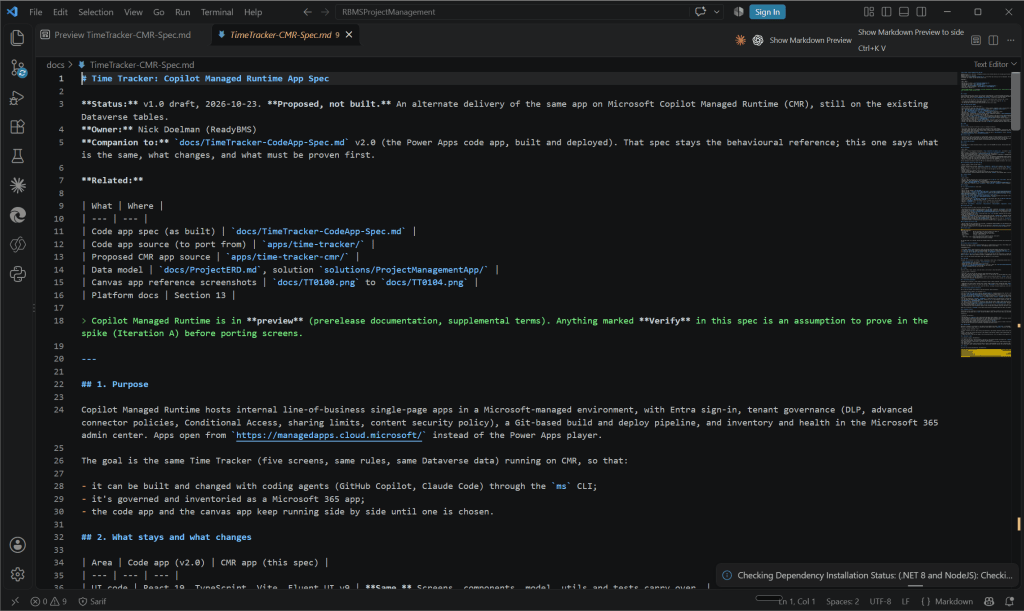
TimeTracker-CMR-Spec.md, a full spec of the solution, every screen and rule, derived from the spec I wrote for the code app
Screenshots of each screen in the current canvas app
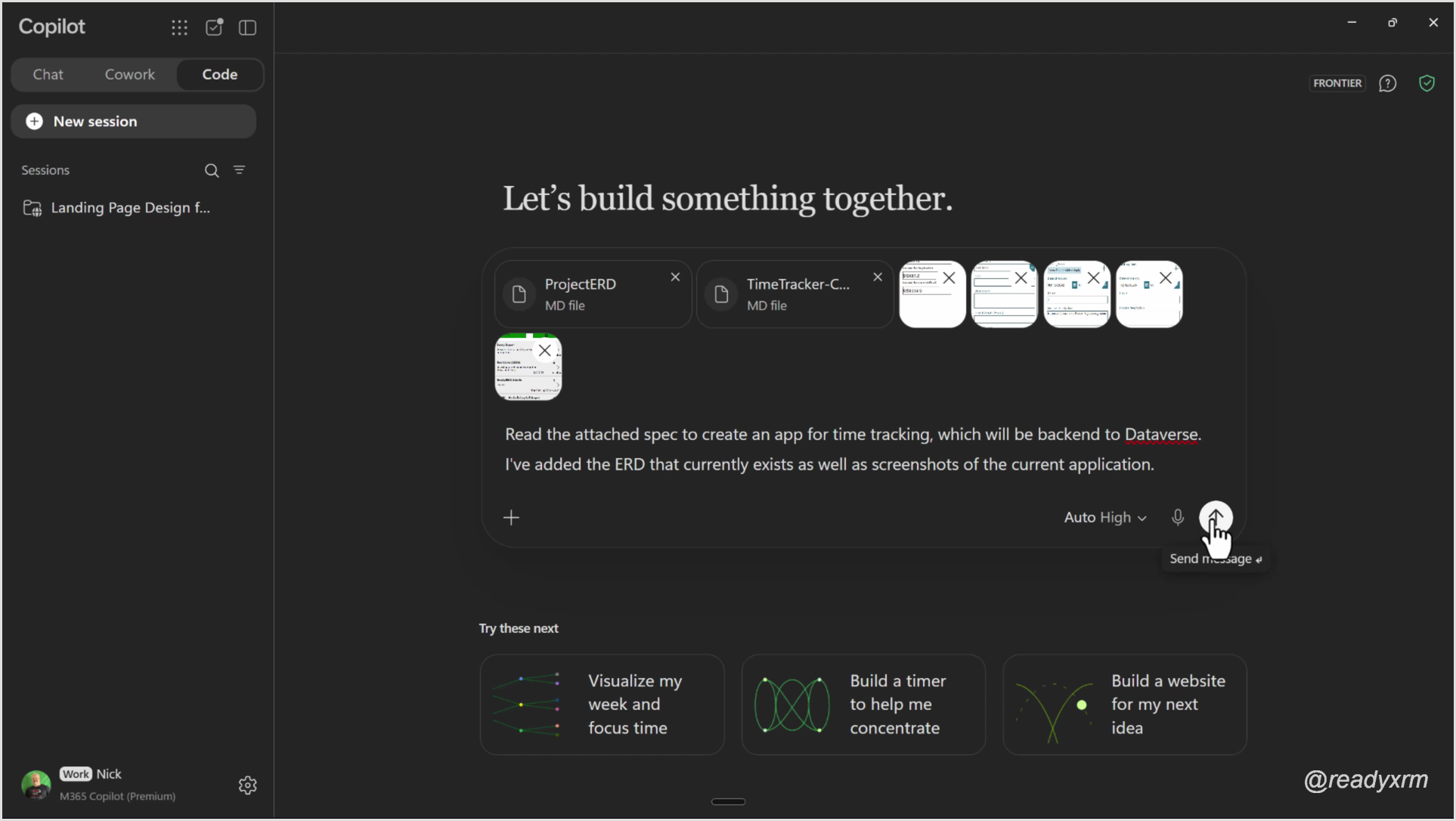
I attached all of it in Copilot Code with this prompt:
Read the attached spec to create an app for time tracking, which will be backend to Dataverse.
I've added the ERD that currently exists as well as screenshots of the current application.
I bumped the effort setting up to High. It is slower, but more thorough, and this was my first run.
The first build
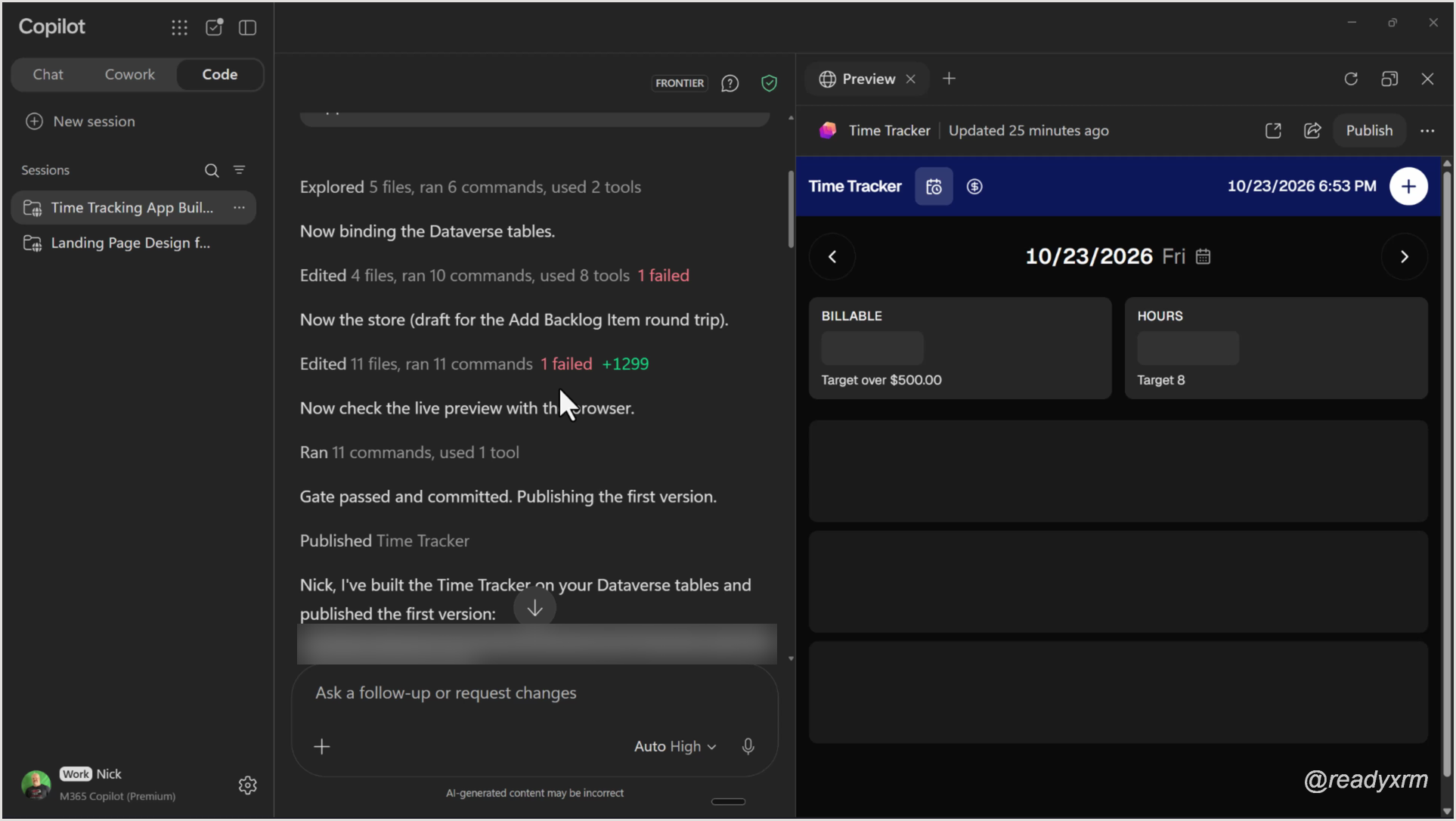
It ran for a few minutes and worked through a long list of steps: exploring files, binding the Dataverse tables, building the store, checking the live preview. One step failed on something to do with dates, and it fixed that on its own before publishing the first version.
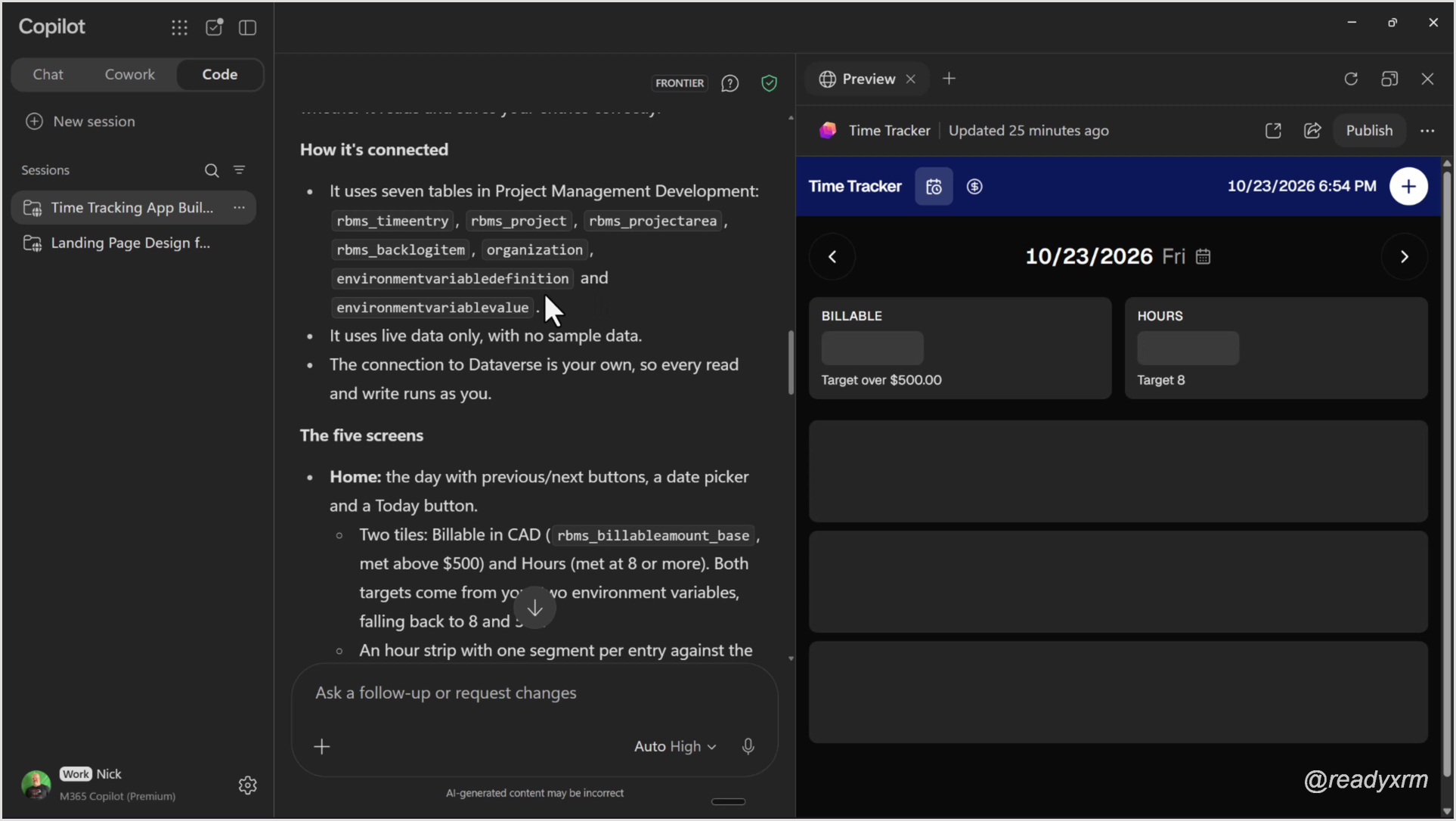
The summary at the end was worth reading. It listed the seven tables it connected to, confirmed it uses live data only (no sample data), and walked through the five screens it built from my screenshots, where it filled in gaps, and what checks were still open.
That “no sample data” line matters. With code apps I have seen the agent quietly create mock data locally, which looks great until you realize nothing is hitting Dataverse.
The first save failed
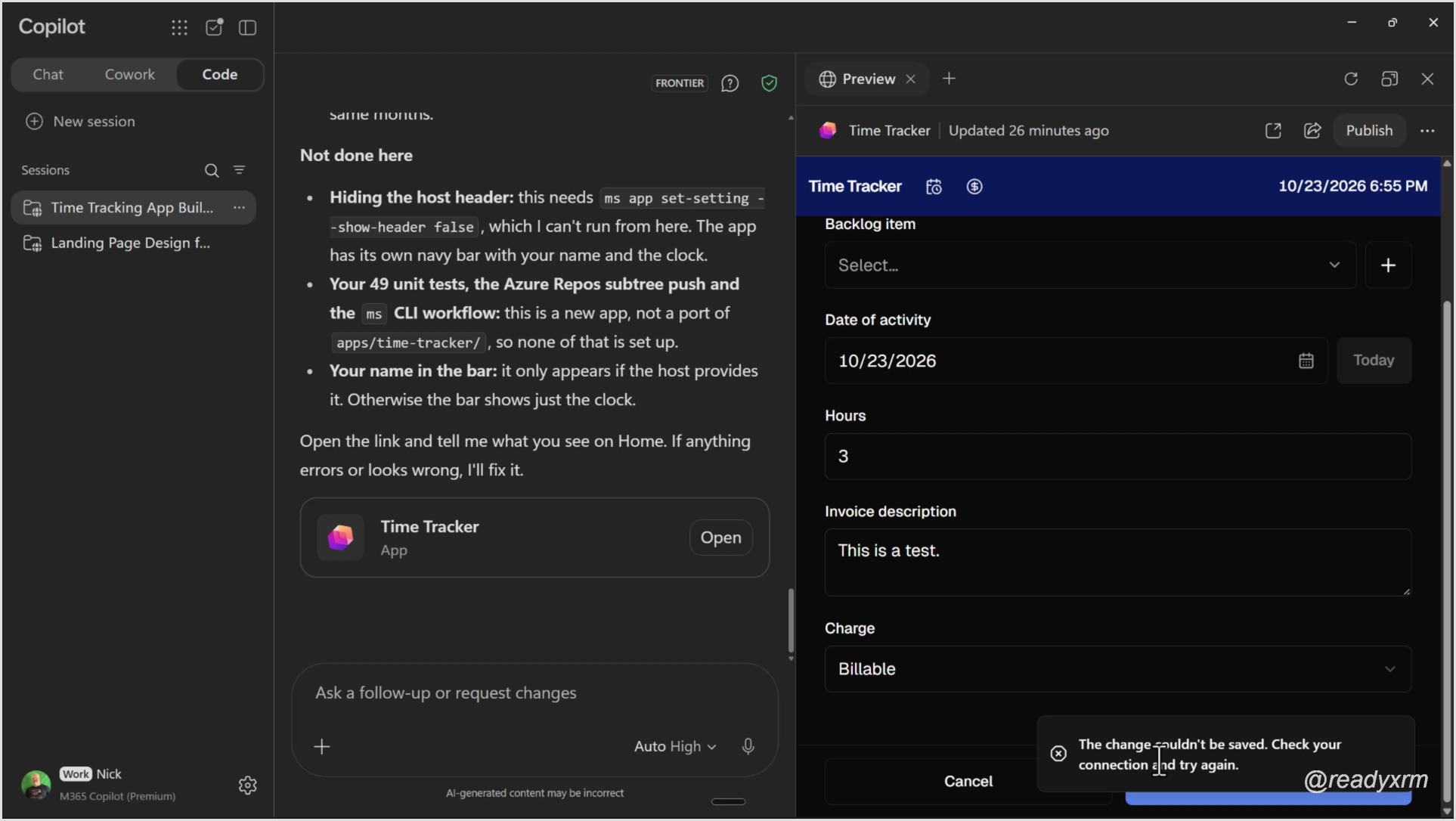
The app was already running in the preview pane, and it pulled projects from my test environment. I added an entry for the Super Dooper project: three hours, “This is a test.”, billable. I hit Save and got this:
So I did what you would do with any developer. I copied the error, pasted it back with “I’m getting the following error when I’m trying to save”, and waited to see how well it could diagnose its own bug.
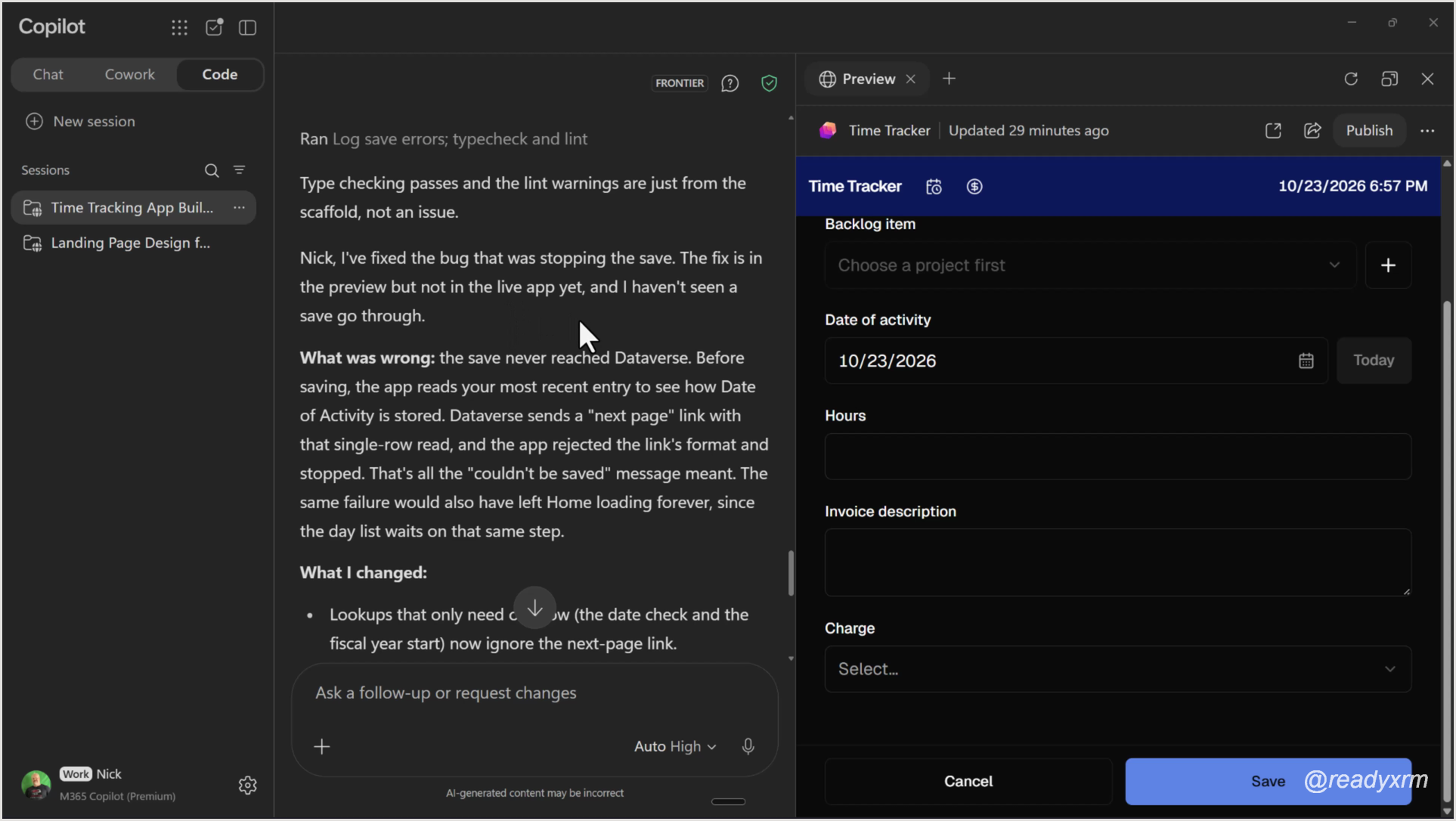
It worked through a few theories, including the date mode, then found the real cause. Before saving, the app reads the most recent entry to check how Date of Activity is stored. Dataverse returns a “next page” link (the skip token) with that read, the app rejected the link’s format, and the save never reached Dataverse. The same bug would have left the Home screen loading forever.
I also liked that it was honest about status: the fix was in the preview, not the live app, and it hadn’t seen a save go through yet. It told me to reload and try again.
It saved
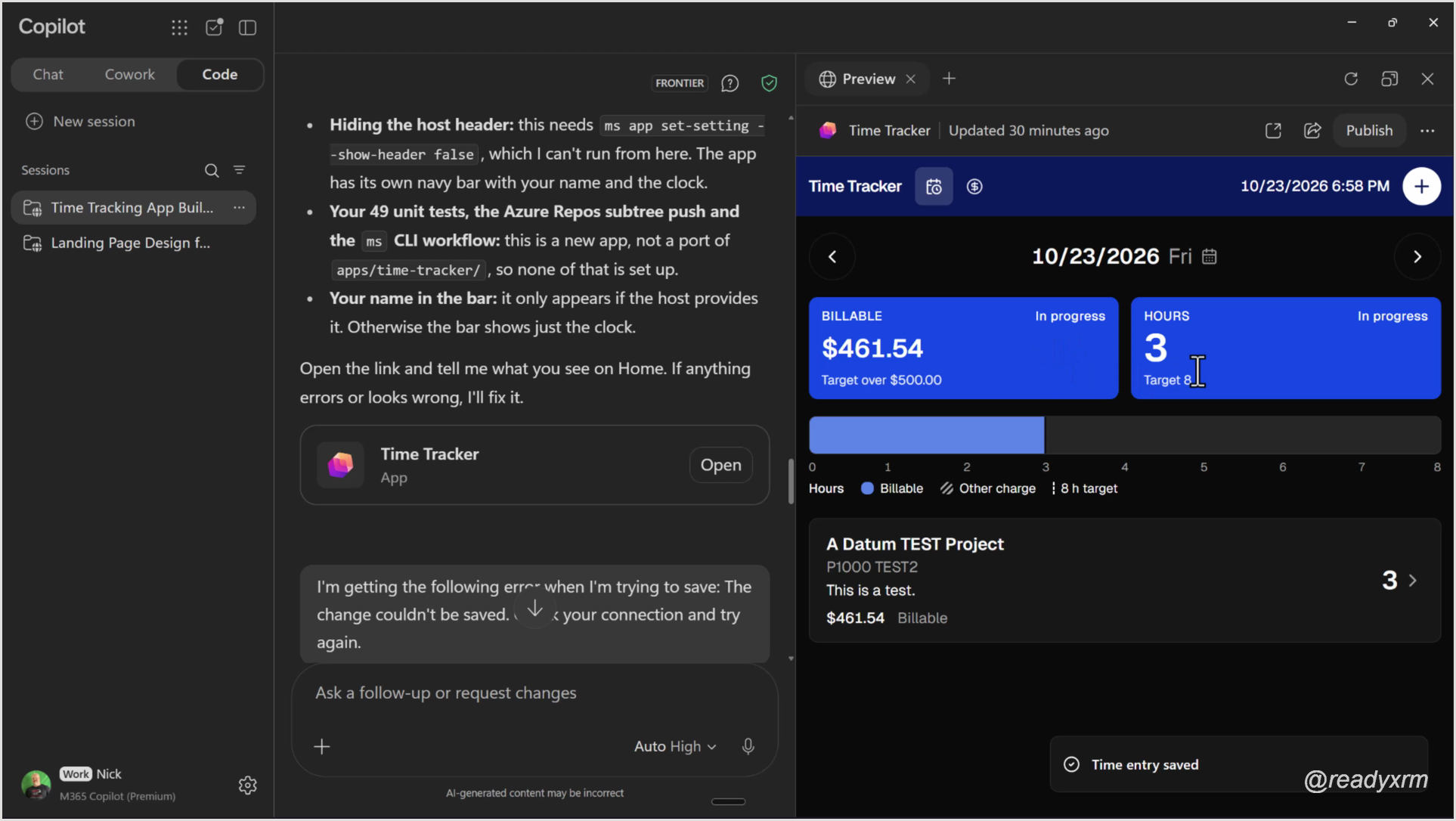
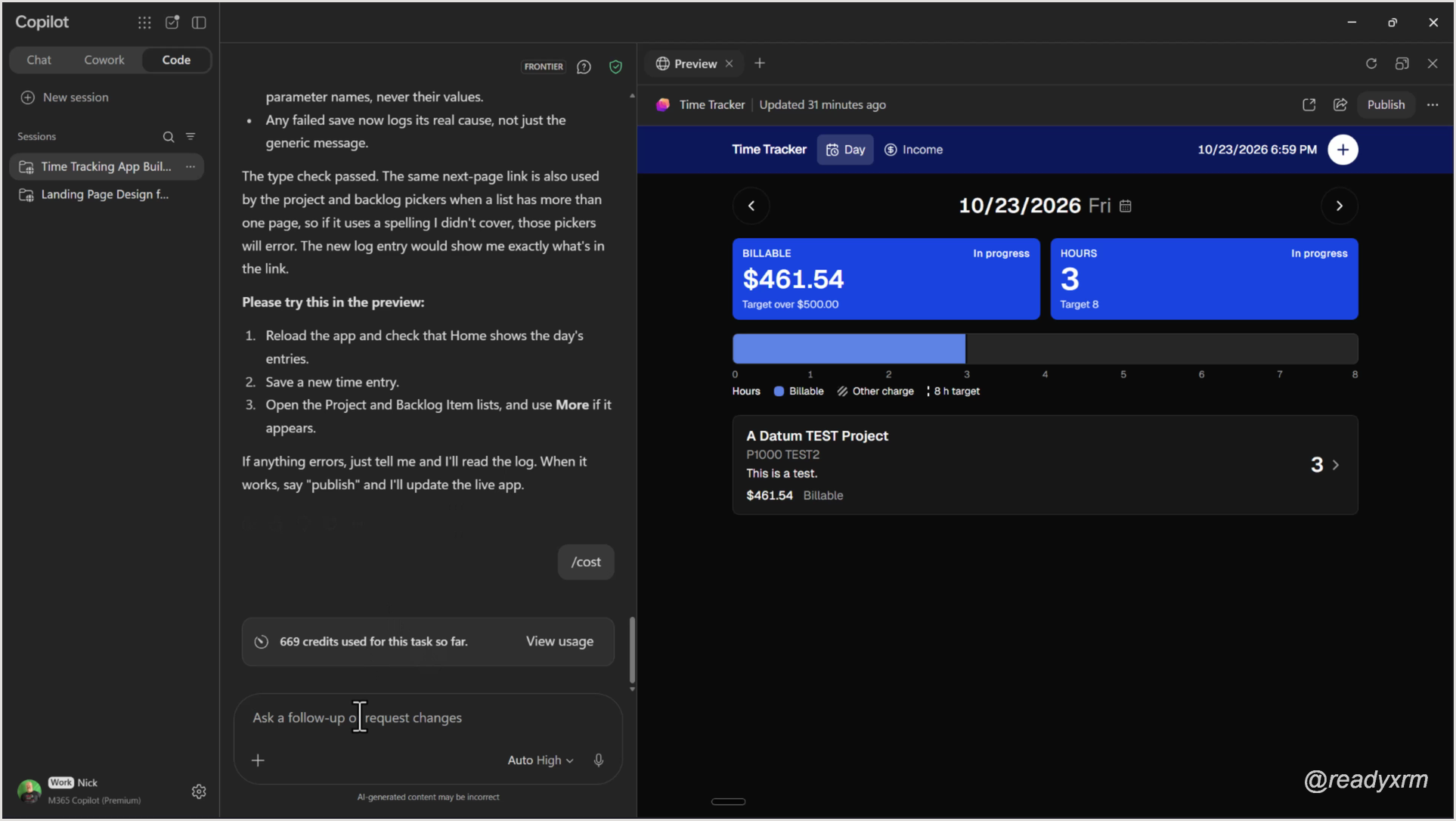
After the reload, the app looked a little different. I created a new entry against the A Datum TEST project (which hadn’t shown in the list before), three hours, “This is a test.”, billable, and hit Save. This time: Time entry saved.
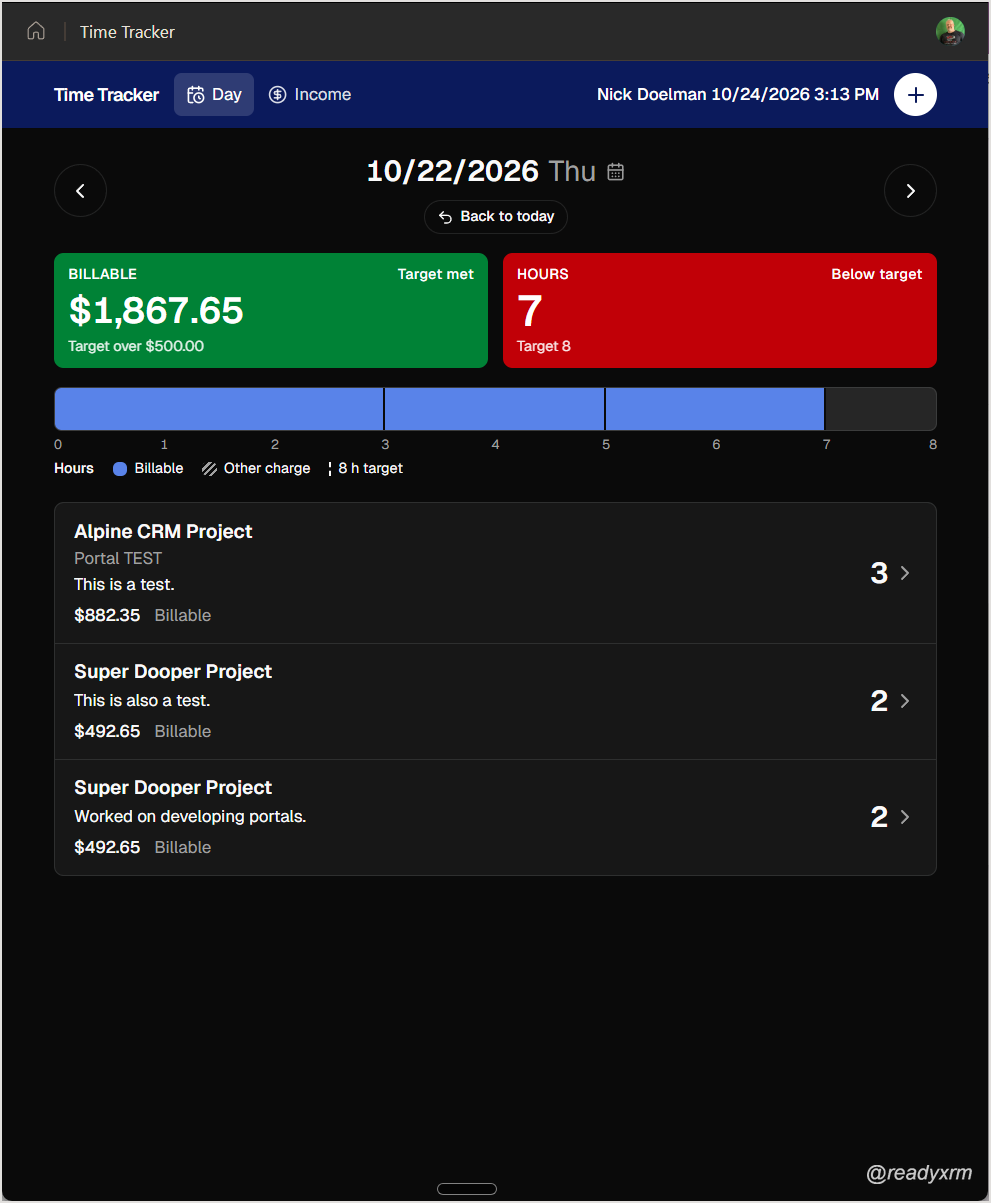
Then I paged back a day. The entries I had keyed in through the canvas app were all there, because both apps talk to the same Dataverse tables. Here is the rebuilt app (compare it with the canvas app at the top of this post):
Same data, same targets, same flow. The tiles now go green, red or blue depending on the target, and there is an hour strip that shows each entry against the 8 hour target.
This app took me ages to build as a canvas app. Copilot Code rebuilt it in under an hour. To be transparent, I haven’t fully tested every screen yet, but by all indications it works the way I expect, and it looks a lot like my app.
What it cost
I ran /cost at the end: 669 credits for the whole task.
Keep in mind I came in with a very detailed spec, so it didn’t have to guess much. A vague prompt would have cost more (more on that below).
If you are in the Frontier program and have a few credits to spare, try this out on one of your own apps.
How (and why) I wrote the spec
It’s very tempting to simply express your idea and let the agent go build. Those are most of the demos you’ll see on the keynote stage and on a lot of YouTube videos. And while it will produce something, it may take a lot of iterations to get what you want. I feel the real value we can provide is giving it a set of very clear and detailed instructions, and applying your experience, taste and judgement. Of course, we can use AI to help do that.
The spec did most of the heavy lifting, so here is how I built it.
My original goal was converting the canvas app into a Power Apps code app. I started with nothing more than screenshots of each screen. (For those of you with a keen eye: this part used Claude, not Copilot. The same approach should work in Copilot.)
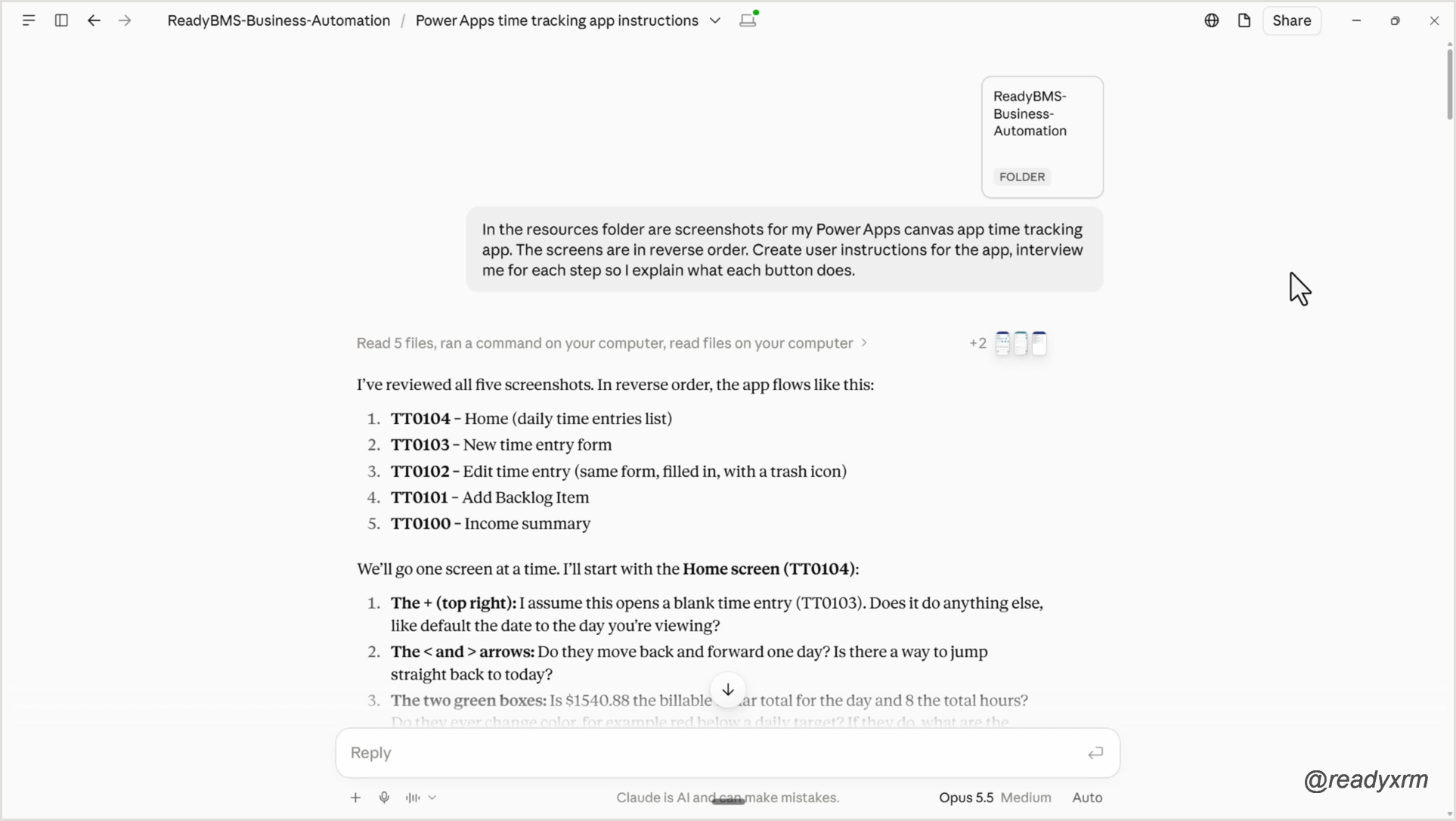
Interview me. I put the screenshots in a resources folder that Claude Cowork reads and asked it to create user instructions, interviewing me for each step so I could explain what each button does. It reviewed the screenshots, went one screen at a time, and asked a lot of questions. It is the same interview you would run with a customer to understand what they want.
Generate the ERD. In Visual Studio Code, I used the Dataverse MCP server, pointed it at the tables the time tracking app uses, and had it generate the ERD markdown.
Write the user guide. With the interview done, I had it write a time tracker user guide as a markdown file. More questions, more back and forth.
Write the spec. Then the key prompt:
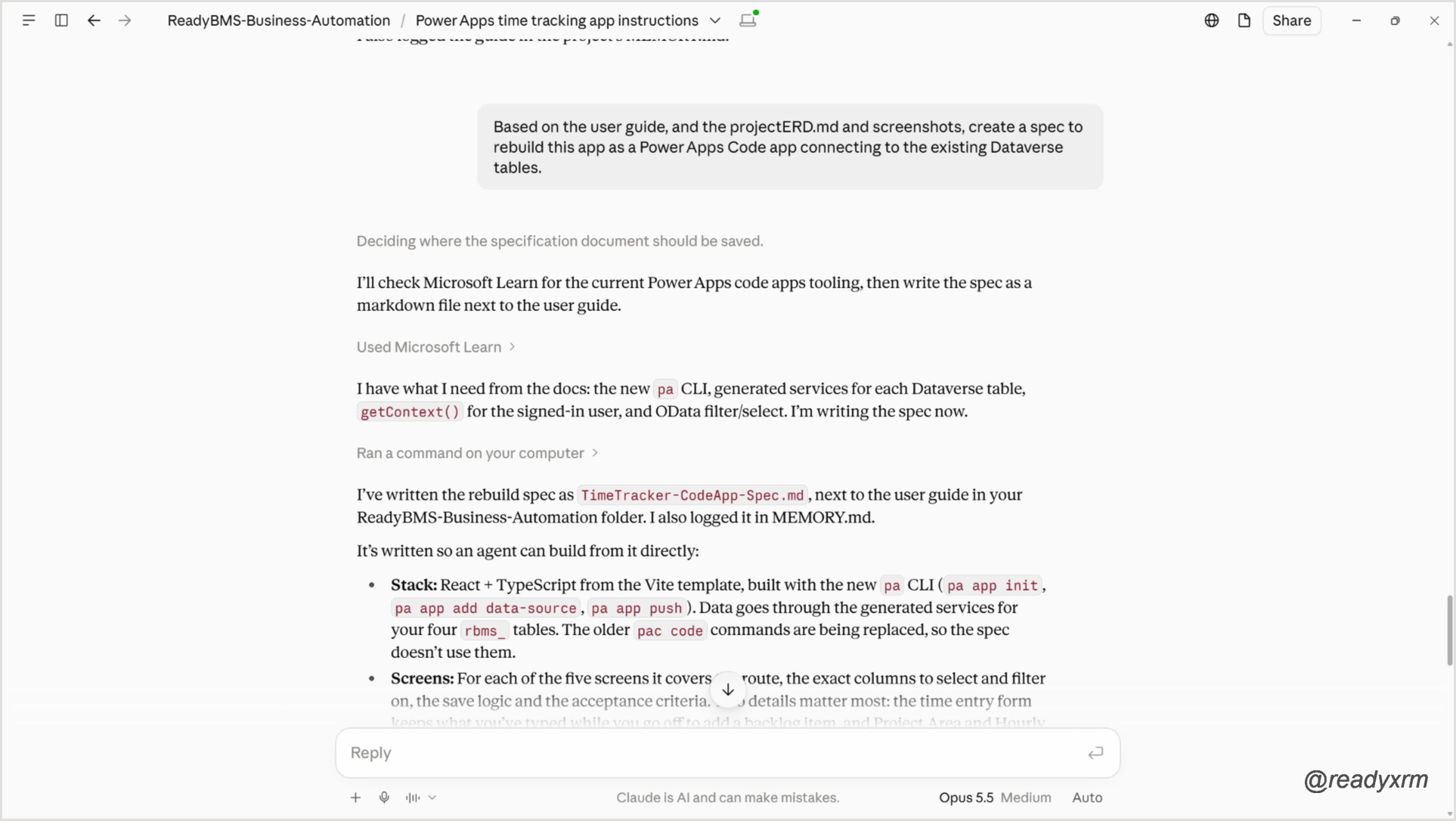
Based on the user guide, and the projectERD.md and screenshots, create a spec to rebuild this app as a Copilot Code app connecting to the existing Dataverse tables.
With the Microsoft Learn MCP server connected, it checked the current code app tooling, asked another round of questions, and produced the spec.
Rework it for CMR. I built the code app from that spec. For this experiment, I reworded the spec so it wasn’t tied to code apps and targeted the Copilot Managed Runtime instead. That is the spec I fed into Copilot Code.
The code app route took a few hours, partly because I also created user stories in Azure DevOps along the way. Going straight from the spec into Copilot Code got me a working app in under an hour.
Where this leaves me
Copilot Code is still in preview. It has bugs, and every run costs credits.
If you are worried about AI taking your job, I’m not too worried. Had I started with a one-line prompt, I would have iterated a lot more and burned through a lot more tokens. The real work was the thinking: interviewing, documenting, designing the spec. The agent did the typing.
There is still a whole whack of questions the Copilot Managed Runtime doesn’t answer for me yet:
ALM. How do I repoint this app from my test environment to production?
Sharing. There is a Publish button to share the app with other users, but how do I control who gets in?
Security roles. How does this map to Dataverse security roles and user-level security?
Will Copilot Code kill Power Apps?
The question on top of everybody’s mind is: Is this a replacement for Power Apps or the Power Platform? The Power Platform, along with its grandfather Dynamics CRM, is over 20 years old and battle-tested in large enterprise environments. There’s a significant amount of engineering, testing, and management happening behind the scenes. I honestly do not see this platform going away anytime soon. Especially when it is a fixed-price model.
That being said there’s a lot of focus now on the Microsoft Copilot Managed Runtime. In a way this could be a fresh new beginning because of the built-in ALM governance and, of course, AI-enabled features. I wonder if this concept is Microsoft’s way of starting fresh building business applications, agents, websites, and automations? And how will the market react to consumption-based pricing?
I’ll definitely be trying to answer these questions and explore in the months ahead.
So for now Power Apps is not dead, at least not yet anyway.
Still, what it built is impressive, and it was a fun experiment. Let me know in the comments: which of your canvas apps would you rebuild first?
Nick Doelman is a Microsoft MVP (8x), podcaster, trainer, public speaker, and competitive Powerlifter. Follow Nick on X at @readyxrm, Instagram, LinkedIN, and Bluesky.
Need Power Platform expertise, training or implementation help? Check out Nick’s website for more details.
Nick Doelman is an independent Power Platform specialist, trainer and coach. Nick delivers presentations, workshops and collaborates on Power Platform and Dynamics 365 projects worldwide. From 2021 to 2023, Nick worked as a Senior Content Developer at Microsoft where he worked on skilling content for Power Pages, Power Automate, and other parts of the Power Platform.
Nick has been awarded the Microsoft Most Valuable Professional (MVP) and is also a Microsoft Certified Trainer (MCT).
Nick is a cohost on the Power Platform BOOST podcast as well as one of the organizers of the Canadian Power Platform Summit. Nick is also a competitive Powerlifter and is a member of Team Canada competing at various international events.
View all posts by Nick Doelman