

A very common question that comes up while configuring Power Pages is how to get around cache issues. Using Power Pages Server logic, there is now an official way to skip the cache!
Power Pages caching 101
Power Pages uses caching to store Dataverse data locally to improve website performance by reducing traffic between the client and the server.
The side effect is that any changes made on the Dataverse side either by a user or a process outside of the website itself will not be immediately reflected on the website. It may take up to 15 minutes for changes to appear, even after refreshing the page.
Usually, this isn’t an issue, but sometimes there are situations where you need for a user to see the results immediately of a backend process. For example, calculating taxes or a process that adds child records.
YouTube version of this post:
I have blogged about this in the past, and have come up with hacky workarounds and methods to address the issue.
Server-side logic to the rescue!
A new feature (currently in preview) is Server-side logic.
See the official Microsoft documentation here: Server logic overview
There are a few benefits and use cases using Server logic, such as the ability to more easily and securely connect to external services and APIs and offloading data operations to the server.
You can also use server logic for Dataverse CRUD (create, read, update, and delete) operations. In most situations it still would be easier to use the out of the box components like lists and forms, or using the Power Pages WebAPI (or the new Power Pages Client APIs)
However, one of the use cases where you would consider server logic when reading Dataverse data is the ability to “skip the cache”.
For example, here is a simple website with a list control pointing to a Dataverse table called “Sessions”:
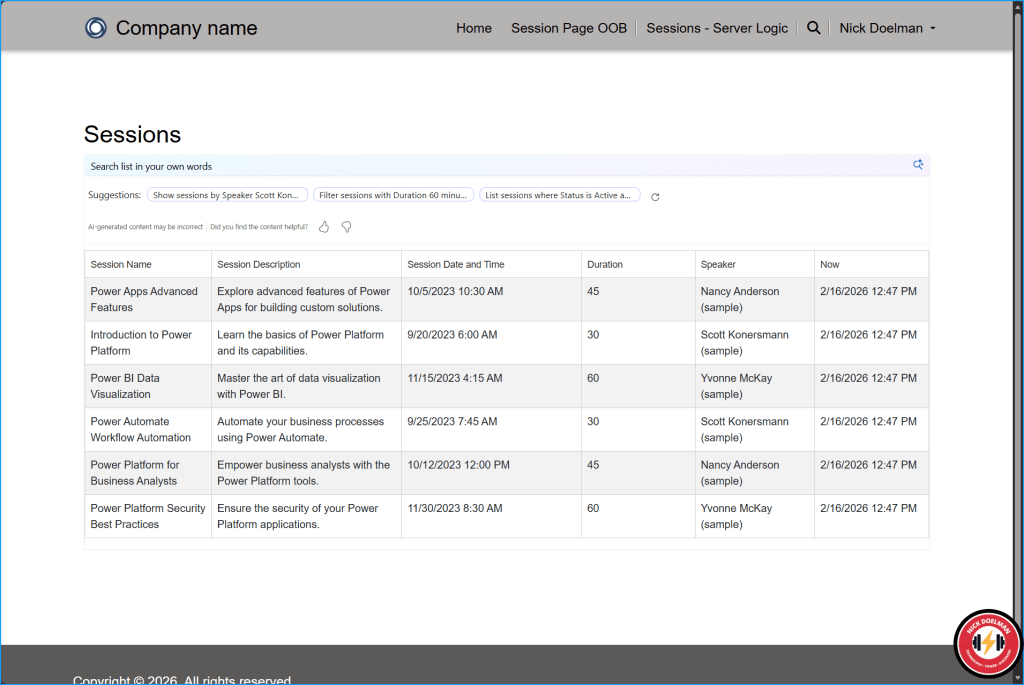
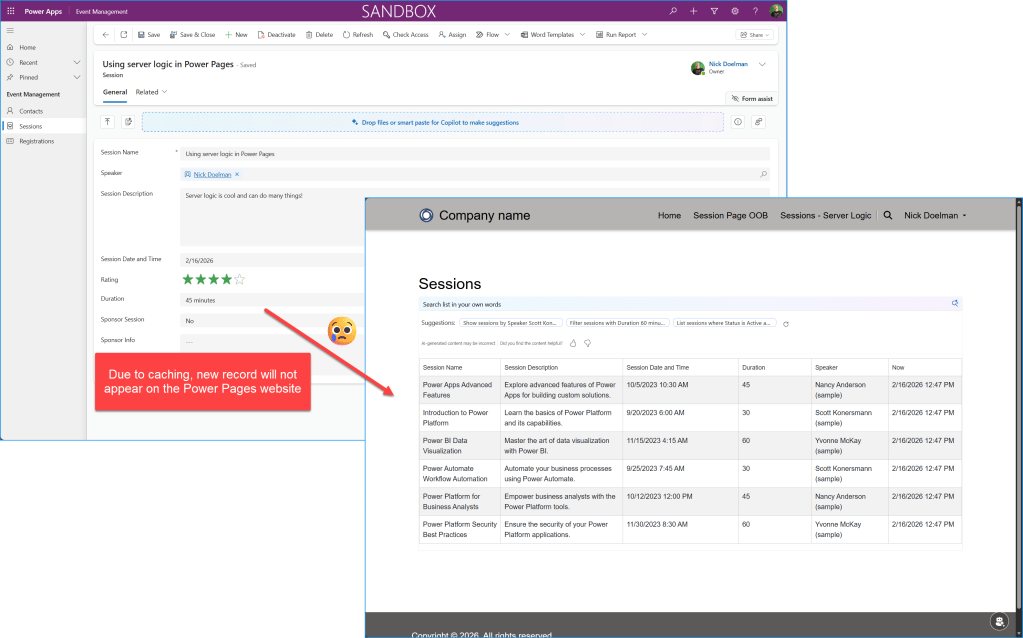
If I go into my model-driven Power App and create a new session, that session will not appear on the Power Pages website for at least 5-15 minutes. This may not be a big deal, but in some cases where timing is important, we’d want to be able to see the latest info immediately!
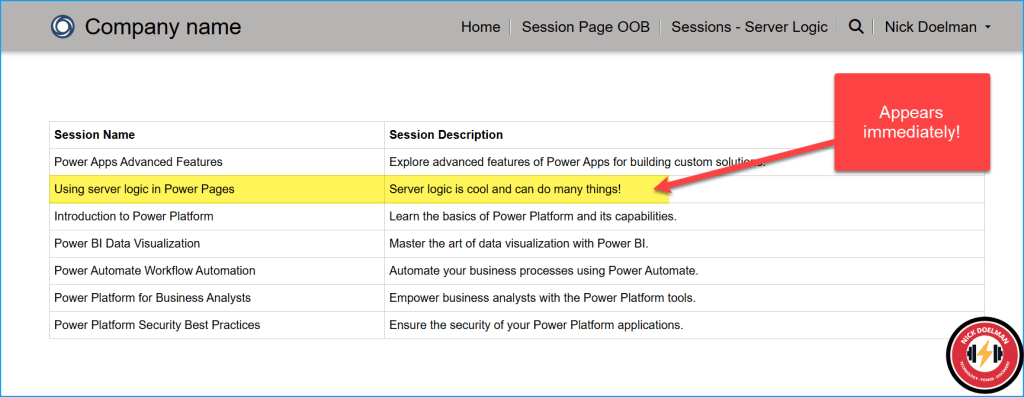
However, we can build a custom page that will call Power Pages server logic, and using the “skipCache” parameter, will skip the cache and update the results immediately!
How to create Server logic and a custom page to skip the cache
The tutorials in Microsoft Learn provide sample code that demonstrates various scenarios using Power Pages server logic. We’ll use some of that code and organize and modify it for our cache-skipping scenario.
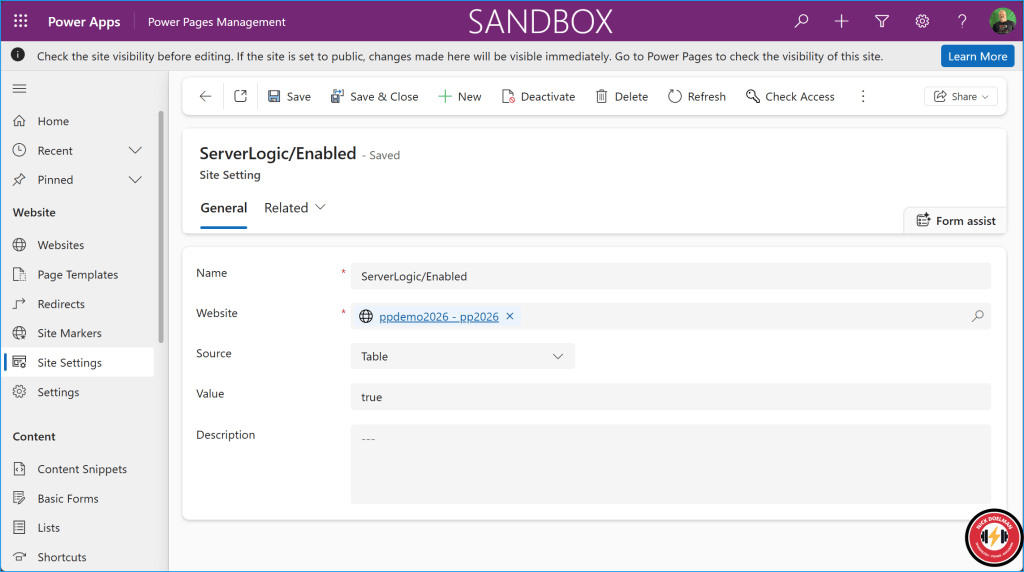
According to the documentation, you will need to add the site setting called ServerLogic/Enabled set to true. This may not be required on new websites, better to have it and not need it then to need it and not have it. Especially if you eventually deploy this code to an existing website.
Create server logic
In the Power Pages design studio, in the Setup workspace, create a new server logic entry. You will also need to identify the webroles of users that will have access to the server logic.
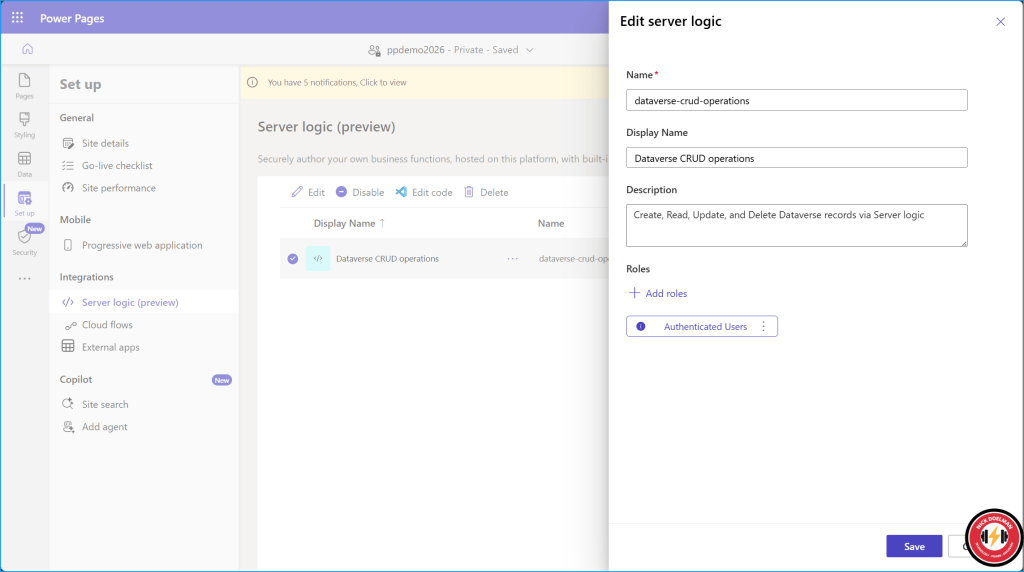
Select the Edit code button to open Visual Studio Code for the web.
The code will initially be blank, so I pasted in the code code found in the MS Learn tutorial found here:
How to: Interact with Dataverse tables using server logic
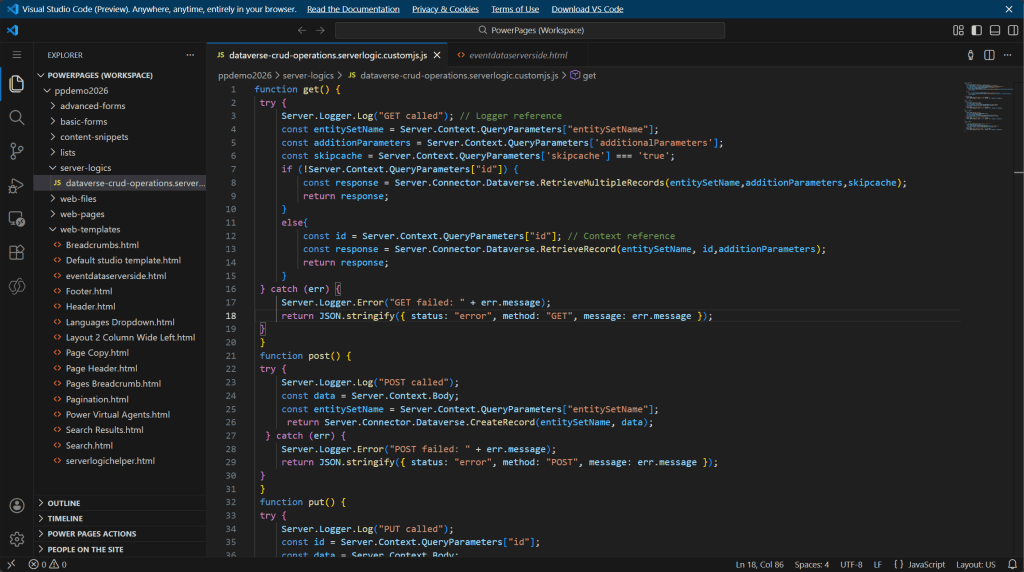
For the get() function, I modified it to accept a “skipcache” parameter, which by default will be false unless explicitly specified. This is how we can specify whether or not we want to skip the cache when retrieving Dataverse data.
function get() { try { Server.Logger.Log("GET called"); // Logger reference const entitySetName = Server.Context.QueryParameters["entitySetName"]; const additionParameters = Server.Context.QueryParameters['additionalParameters']; const skipcache = Server.Context.QueryParameters['skipcache'] === 'true'; if (!Server.Context.QueryParameters["id"]) { const response = Server.Connector.Dataverse.RetrieveMultipleRecords(entitySetName,additionParameters,skipcache); return response; } else{ const id = Server.Context.QueryParameters["id"]; // Context reference const response = Server.Connector.Dataverse.RetrieveRecord(entitySetName, id,additionParameters); return response; } } catch (err) { Server.Logger.Error("GET failed: " + err.message); return JSON.stringify({ status: "error", method: "GET", message: err.message }); } }
WARNING
The skip cache parameter should be used sparingly! The whole reason for the cache is to improve performance of your website. The only time you should use this is when its imparative that the user sees new or updated Dataverse data.
For our custom code, I copied and broke out the example code from MS Learn into more modular chunks.
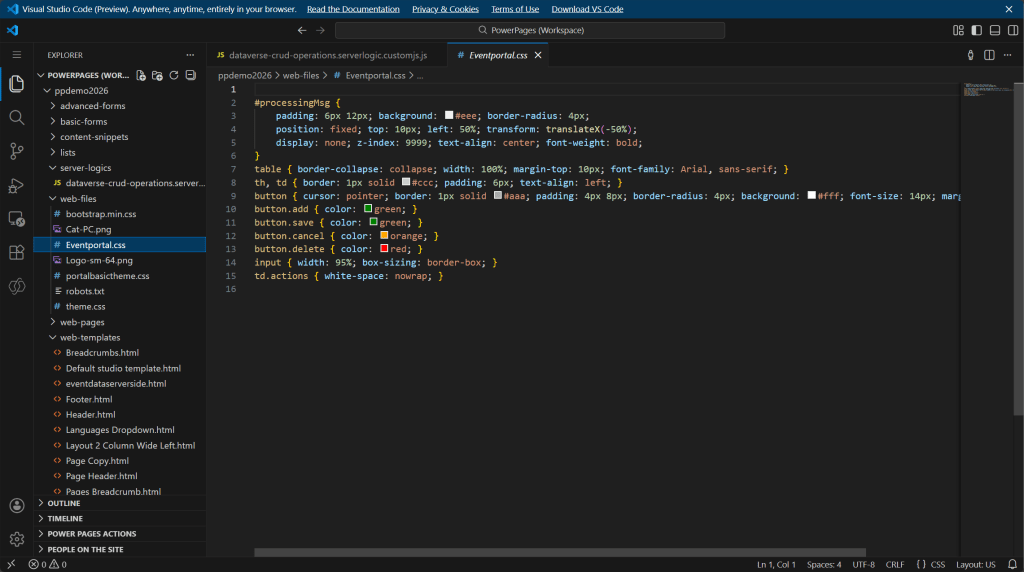
Any custom styling I moved into it’s own CSS file (I am not using any of the buttons, but keeping here for future projects):
Serverlogichelper template
I broke out the sample Ajax wrapper code into its own template for re-usability and modularity, as in a project I could be using server logic in different places. Even though server side code is hidden from the client, we still need to wrap the requests in a CSRF token.
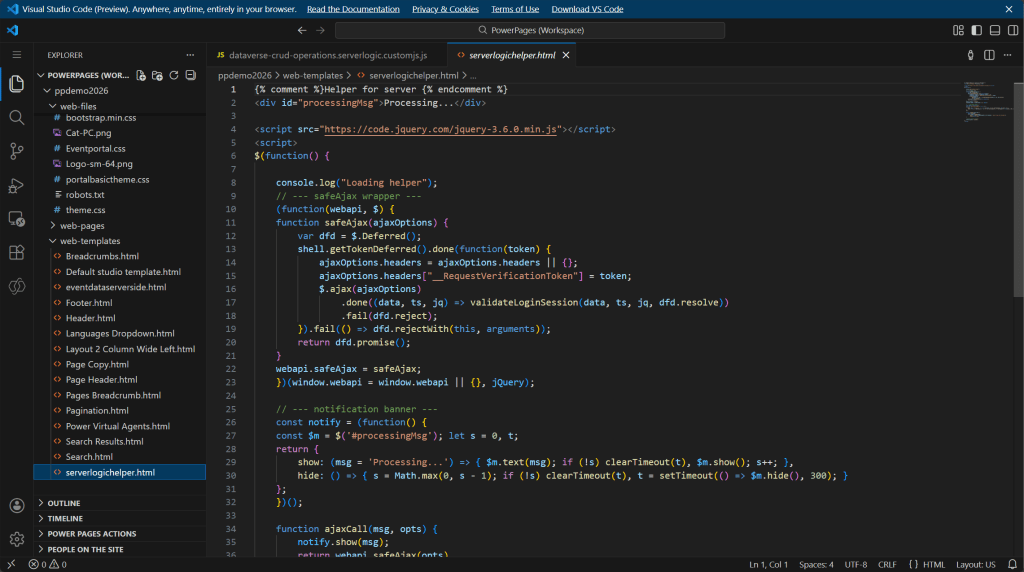
Here is the code for my helper template, you may want to add some other re-usable functions to this code.
{% comment %}Helper for server {% endcomment %}<div id="processingMsg">Processing...</div>https://code.jquery.com/jquery-3.6.0.min.js<script>$(function() { console.log("Loading helper"); // --- safeAjax wrapper --- (function(webapi, $) { function safeAjax(ajaxOptions) { var dfd = $.Deferred(); shell.getTokenDeferred().done(function(token) { ajaxOptions.headers = ajaxOptions.headers || {}; ajaxOptions.headers["__RequestVerificationToken"] = token; $.ajax(ajaxOptions) .done((data, ts, jq) => validateLoginSession(data, ts, jq, dfd.resolve)) .fail(dfd.reject); }).fail(() => dfd.rejectWith(this, arguments)); return dfd.promise(); } webapi.safeAjax = safeAjax; })(window.webapi = window.webapi || {}, jQuery); // --- notification banner --- const notify = (function() { const $m = $('#processingMsg'); let s = 0, t; return { show: (msg = 'Processing...') => { $m.text(msg); if (!s) clearTimeout(t), $m.show(); s++; }, hide: () => { s = Math.max(0, s - 1); if (!s) clearTimeout(t), t = setTimeout(() => $m.hide(), 300); } }; })(); function ajaxCall(msg, opts) { notify.show(msg); return webapi.safeAjax(opts) .fail(r => alert(r.responseJSON?.error?.message || 'Server logic not available')) .always(notify.hide); } // Expose ajaxCall globally window.ajaxCall = ajaxCall;});</script>
For the actual code that retrieves and shows the data, the sample from MS Learn puts the code into a web page. 🙈
In my opinion, web pages should be the structure to hold components that will point to advanced functionality or static content (via content snippets) due to the fact that websites could be multilingual and we want to keep code and content organized to be manageable.
So, I created a web template component, with a manifest so makers could add this component to any pages they are working on. At this point, I don’t have any parameters setup in my manifest, but I could have added parameters so the maker could define column names and if the data retrieval should skip the cache or not.
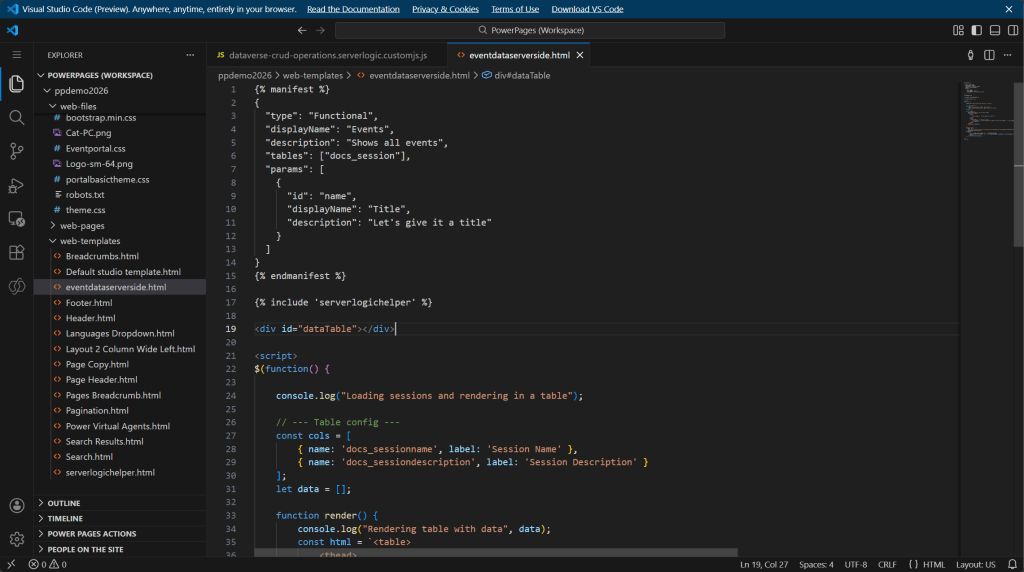
Below is the actual code, its actually refactored from the tutorial code from MS Learn, but I have configured it to read from my custom table for sessions (docs_session) and specified in the data retrieval (GET) in the server logic code that the cache should be skipped.
Server.Connector.Dataverse.RetrieveMultipleRecords(entitySetName,additionParameters,skipcache);
Here is what is going on:
- Manifest to allow web template to be added to a webpage from design studio and configured by a maker.
- Including the serverlogichelper code file.
- Creating a datatable display area on the page.
- The AjaxCall function is sending the GET string with entityname, parameters, and the skipcache set to true and sending that to the server logic to retrieve from Dataverse.
- The render function takes the data retrieved from the AjaxCall function, builds an HTML table and displays it.
{% manifest %} { "type": "Functional", "displayName": "Events", "description": "Shows all events", "tables": ["docs_session"], "params": [ { "id": "name", "displayName": "Title", "description": "Let's give it a title" } ]}{% endmanifest %} {% include 'serverlogichelper' %}<div id="dataTable"></div><script>$(function() { console.log("Loading sessions and rendering in a table"); // --- Table config --- const cols = [ { name: 'docs_sessionname', label: 'Session Name' }, { name: 'docs_sessiondescription', label: 'Session Description' } ]; let data = []; function render() { console.log("Rendering table with data", data); const html = `<table> <thead> <tr> ${cols.map(c => `<th>${c.label}</th>`).join('')} </tr> </thead> <tbody> ${data.map(r => `<tr data-id="${r.id}"> ${cols.map(c => `<td data-attribute="${c.name}" data-value="${r[c.name] || ''}">${r[c.name] || ''}</td>`).join('')} </tr>`).join('')} </tbody> </table>`; $('#dataTable').html(html); } ajaxCall('Loading...', { type: 'GET', url: '/_api/serverlogics/dataverse-crud-operations?entitySetName=docs_sessions&additionalParameters=$select=docs_sessionname,docs_sessiondescription,docs_sessionid&skipcache=true', contentType: 'application/json' }).done(res => { try { const p = JSON.parse(res.data); const b = JSON.parse(p.Body); data = (b.value || []).map(r => ({ ...r, id: r.docs_sessionid, sessionname: r.docs_sessionname, sessiondescription: r.docs_sessiondescription })); render(); } catch (e) { console.error(e); } });});</script>
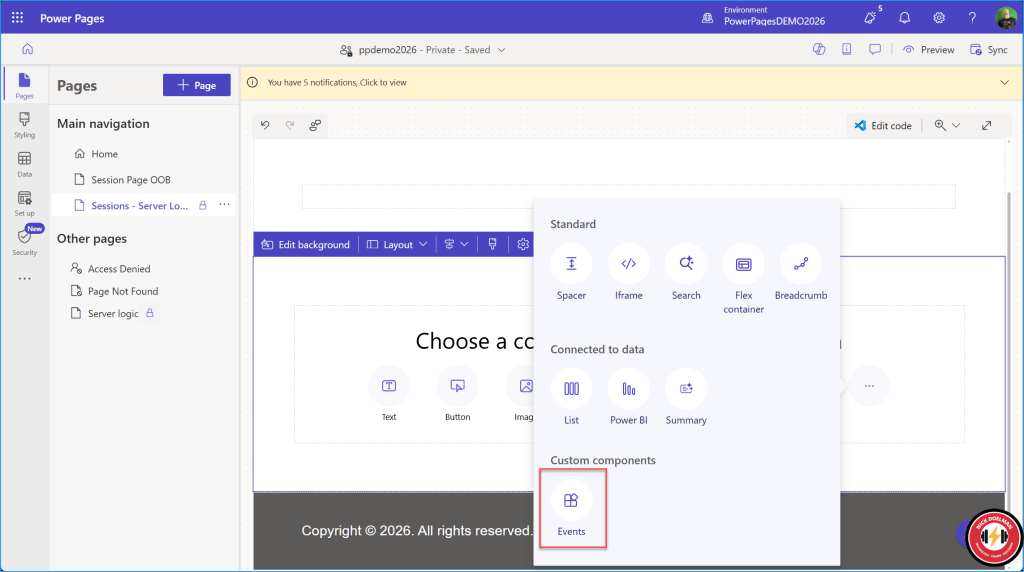
Once this is saved, I can add the component to a webpage:
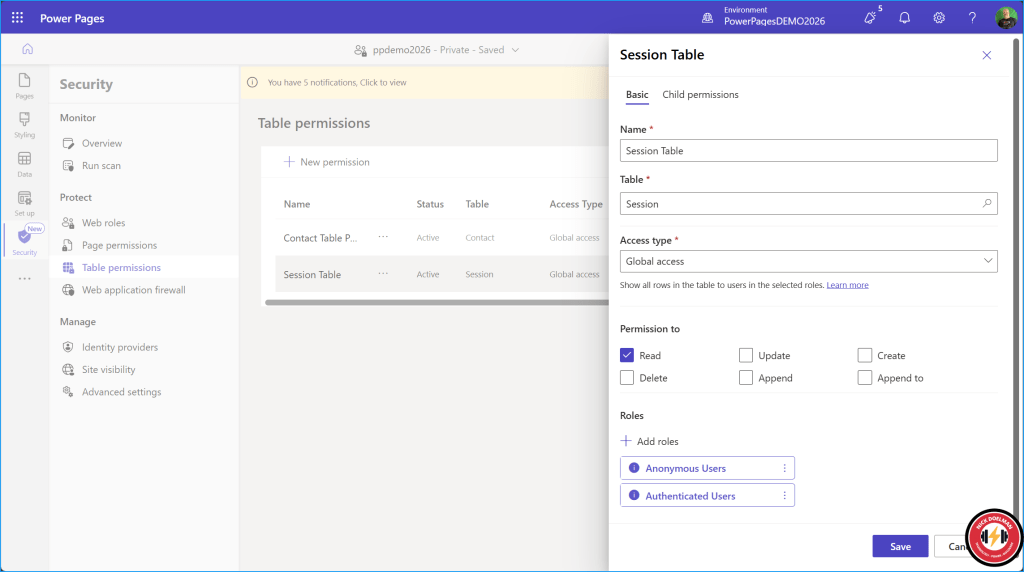
We need to configure table permissions to allow access to the table. Note that we don’t need to specify the columns in site settings like we do for the Power Pages WebAPI.
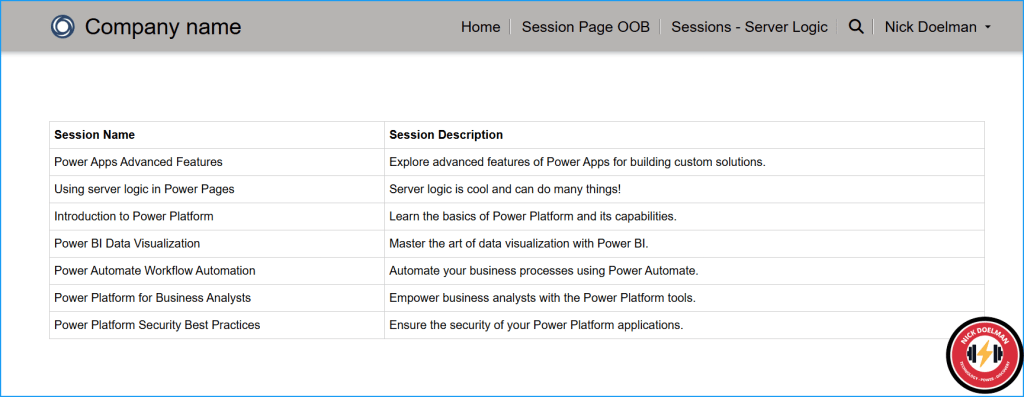
Now when a user visits the page, any new or updated data should appear *immediately* with no cache issues (with a maybe an extra brief moment of processing time)
Summary
Having a method to override the cache has been an ask for Power Pages developers since the beginning. There has never been an official or supported method to achieve this until now.
Note that this feature is still in preview, so hold off on putting into production (or at least, do so at your own risk).
Nick Doelman is a Microsoft MVP, podcaster, trainer, public speaker, and competitive Powerlifter. Follow Nick on X at @readyxrm, Instagram, LinkedIN, and Bluesky.
Need Power Platform expertise, training or implementation help? Check out Nick’s website for more details.
Listen or watch the the Power Platform Boost podcast with Nick and co-host Ulrikke Akerbæk every second week for news and updates from the Power Platform community!


 The ReadyXRM Blog by Nick Doelman